
Features
PlanVera brings drawings, progress information and tools to where the work is done: in the field, in everyone’s pockets.
Progress tracking and work management
Add markups directly onto the drawings. Everyone can see at a glance what’s done and what’s still outstanding.
Revision updates
Markups are carried over automatically when a drawing is updated to a new version.
Real-time collaboration
Everyone sees changes and markups the moment they’re made.
Offline mode
Download a drawing to your device and keep adding markups even without a network connection. Everything syncs once the connection returns.
Customized views
You choose what shows on the drawing. Display only the layers needed for the task at hand.
Link information
Link relevant sites and documents directly to drawings – work instructions, product data sheets, installation guides, equipment lists, stock levels.
Customizable workflows
Decide how you want to track work and which statuses to use for markups.
More efficient project communication
Work instructions and redlines directly on the drawings.
Work management
Add work-related comments and instructions directly onto drawings. Mark areas, draw, add text, copy symbols. Comprehensive drawing tools keep the message clear.
Discuss and document
Every markup and comment can include linked discussions and attachments – for example, photos.
Redlines
Record changes directly on the drawings and assign responsibility to the next person. Prioritize, schedule and keep stakeholders informed.
Link work instructions
Link work instructions – such as footing-specific pour instructions, wall surface treatment instructions, or component installation instructions – directly to the exact spot on the drawing where they’re needed.
Defect and snag lists, mock-up installations, extra work…
Mark and document defects, mock-up installations, extra and change work, and other notes directly on the drawings.
Search and organization features
Review comments in a list view. Search, prioritize and organize as needed. Comprehensive search, filtering and reminder features make sure tasks don’t get lost in the noise.
Archive function
Markups remain in the project archive so they can be analyzed and processed later as needed.
Comprehensive file management
All your project files in one secure place. Works on mobile too.
Comprehensive access control
Project-specific teams and access rights ensure that information is only available to the people it belongs to.
No restrictions
Use whatever folder structure you want. Built for massive file volumes.
Broad support for different file formats
PDFs, images, Word files, Excel files, zip files, DWGs and more. All in one place, accessible and easy to find for everyone.
Available wherever you are
Designed specifically for mobile use.
Easy onboarding
Import your project’s files and folder structure as a zip file.
The information that matters for your project
Revision details, file and folder descriptions always visible. Comprehensive search features make sure the information you need is always easy to find.
IFC combination models
Not everything shows up in 2D drawings. View industry-standard IFC models on your mobile device.
3D models in your pocket
With our mobile-optimized IFC viewer, you can view standard-compliant models wherever you are.
Combine models
Build the combinations you need from sub-models – architectural, electrical, HVAC, automation and more.
Measurements
Measure elevations, distances and areas directly from the 3D models.
Link
Link drawings and 3D models so you can jump straight from a drawing to the matching point in the 3D model.
Metadata
View the metadata the designer has embedded in the model.
Quantity takeoff and estimating
Quantity takeoff and estimating directly from drawings.
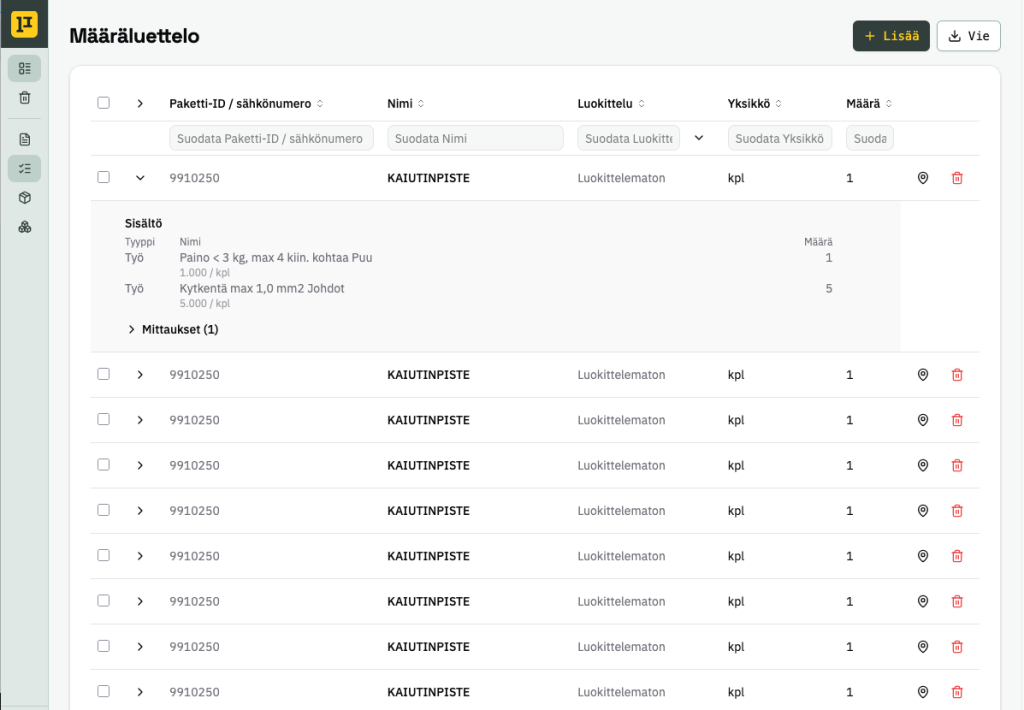
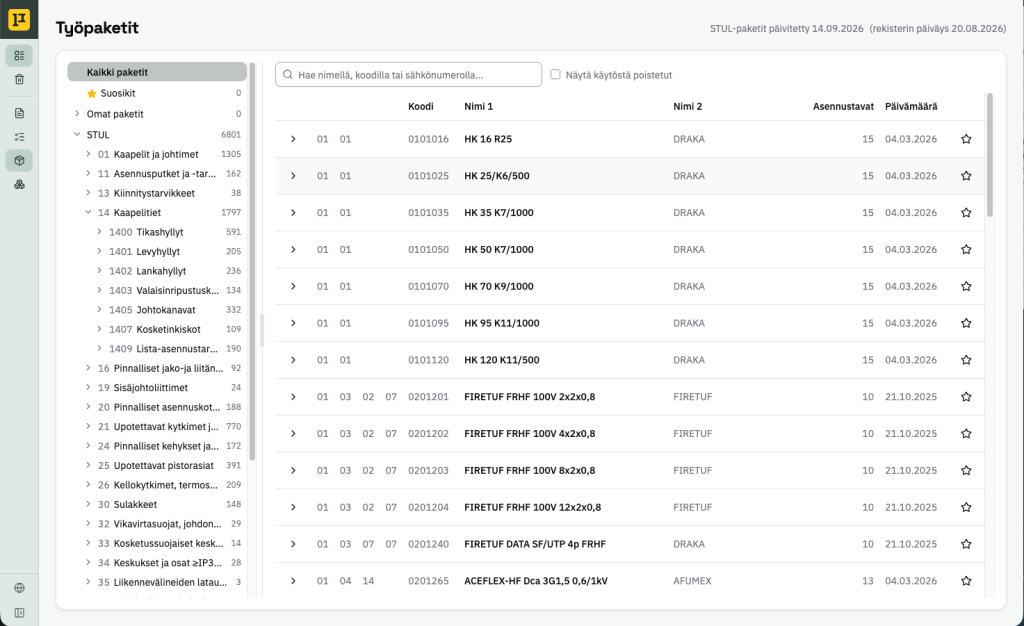
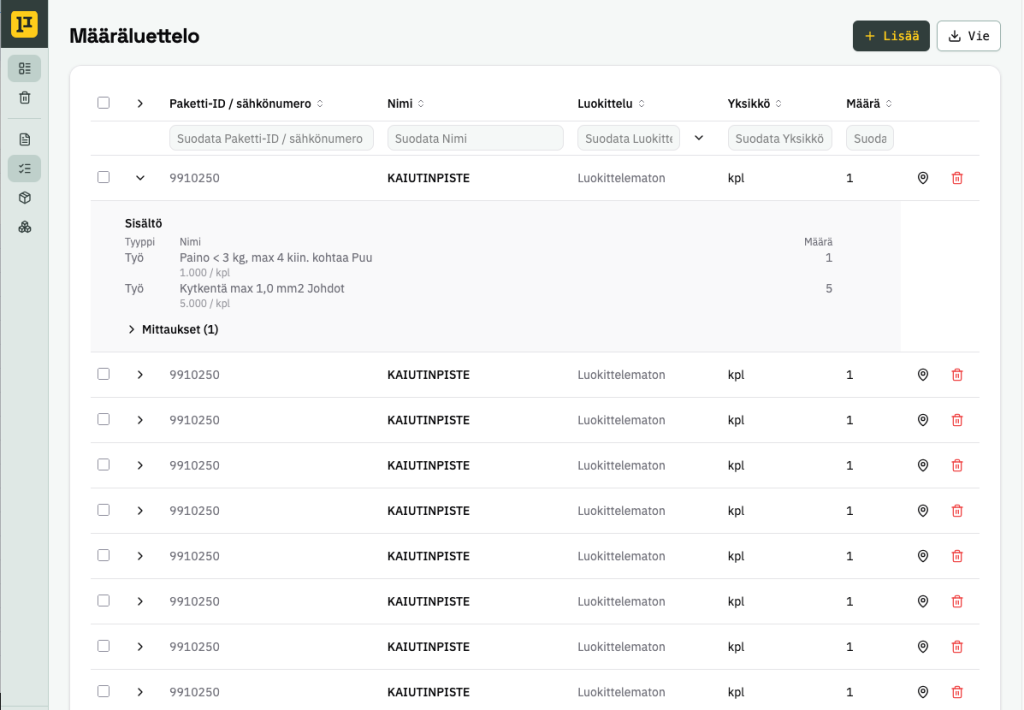
The clearest interface on the market
No separate “counted” icons – our unique technology lets you mark takeoff progress directly on the drawings. View the takeoff from different perspectives – by work package, system, or position – hide layers and use colour coding.
Efficiency through collaboration
Our technology lets multiple people take off quantities on the same drawing at the same time. Information updates in real time for everyone involved in the takeoff.
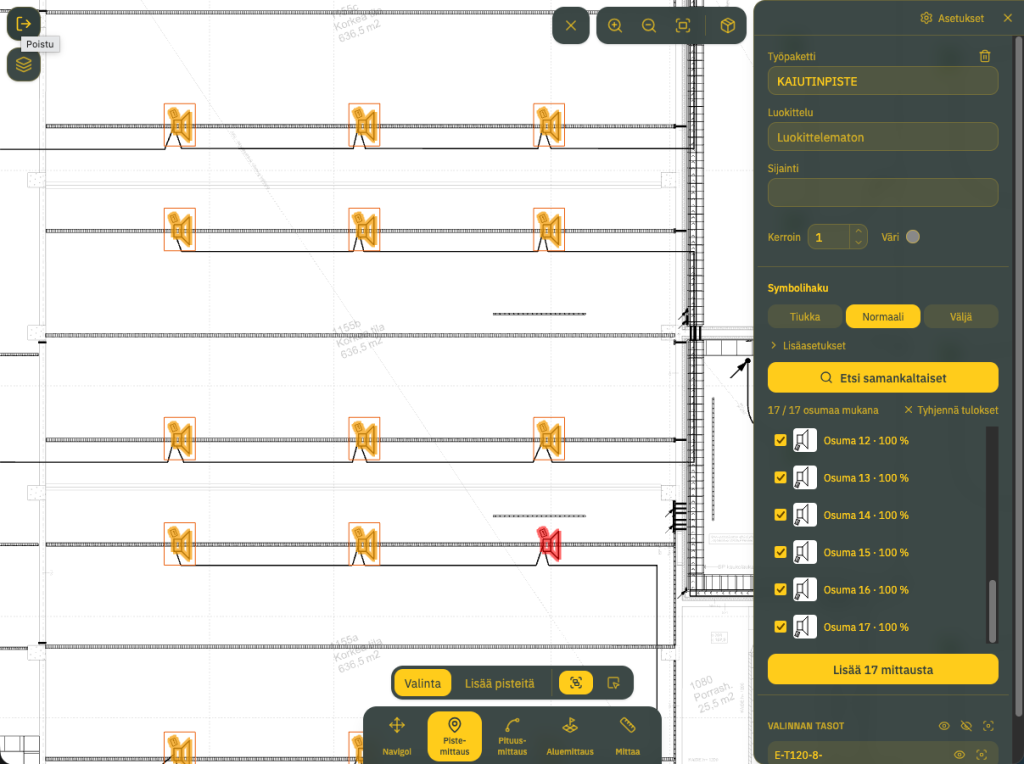
Point measurement
Count point-based items from the drawing. Select a symbol and find more matching items with the market’s most advanced search features.
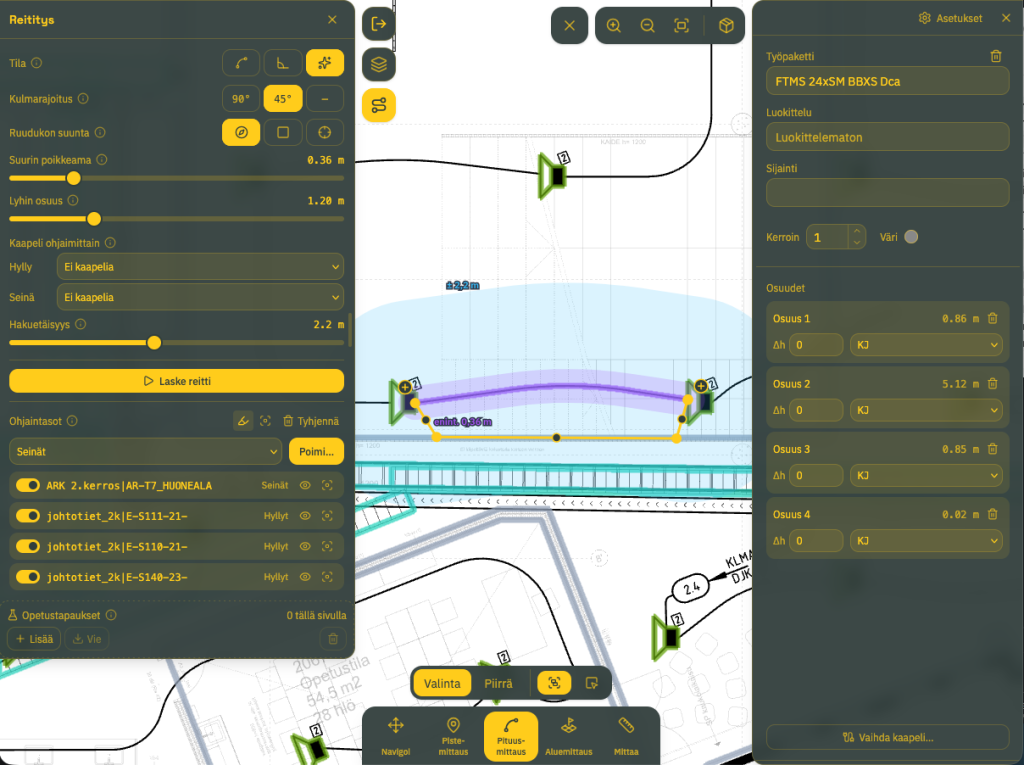
Length measurement and automatic routing
Measure lengths and routes, and set installation method for each section of a route if you want. Speed up takeoff with automatic routing, which calculates a route taking walls, installation trays and other guidance into account.
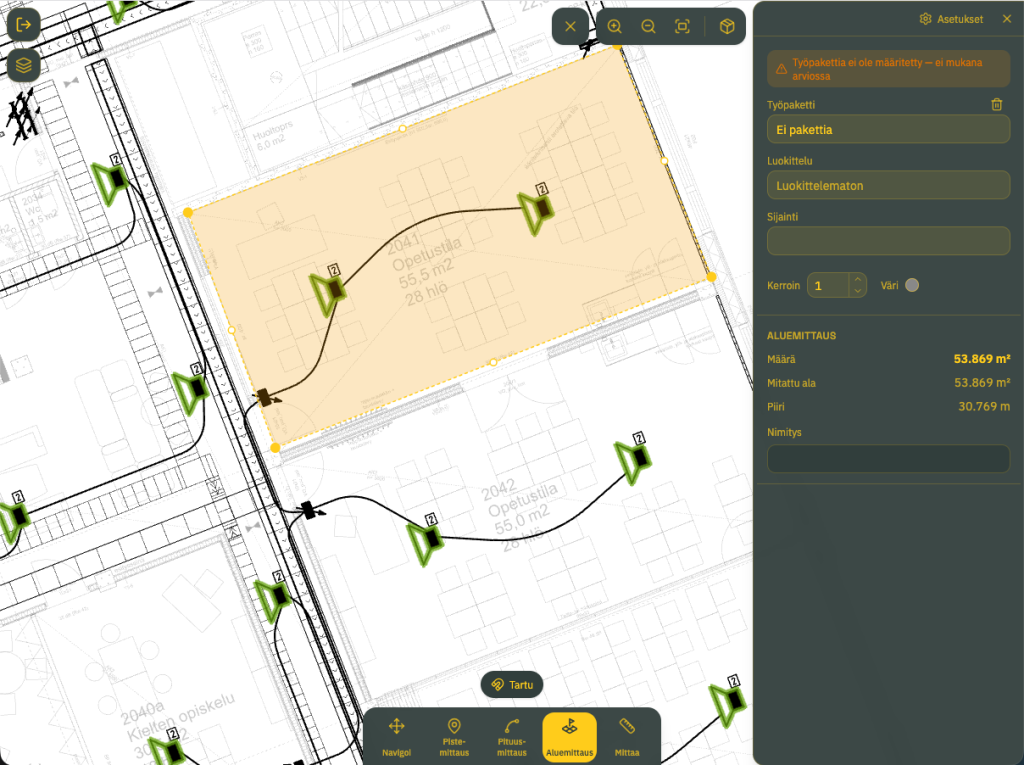
Area measurements
Measure by surface area. Ceilings, floors, plots of land – whatever you need.
Work packages
Add your own work packages and products, or use ready-made registers and databases such as Sähköinfo’s package register and STK’s electrical numbers.
Export for estimating
Export data for further processing in your estimating software. Contact us for options.
Other features
Tools for every task.
Measuring tools
Measure distances, areas and volumes directly from drawings or IFC models. Colour-code results, snap measurement points to shapes in the drawing, or constrain the measurement angle. Add measurements together. A magnifying glass is available in mobile view for precise alignment of measurement points.
Panel and cable labeling
An add-on service built for electrical contractors that saves you significant amount of time. The tool gathers the data and produces print-ready cable and panel labels straight from a PDF. It reads the connections and layouts from the PDF you provide, leaving you only to check the results.
A secure solution
Technology you can trust. Designed from the ground up according to ISO 27001 principles.
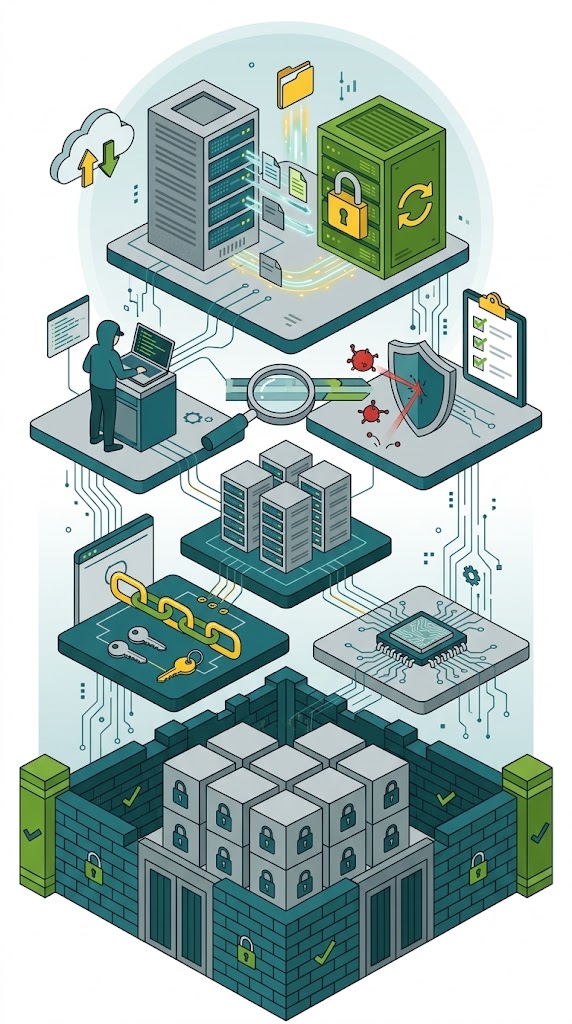
Backed up and redundant
Data is duplicated and backed up daily to a separate environment. All data is stored in data centers located in Finland.
A modern solution
The system is built using modern, well-established and thoroughly tested libraries, tools, programming languages and development methods. Every technology and solution chose has also been evaluated from a security standpoint.
Vulnerability management
We monitor and update the service continuously. Known vulnerabilities are patched as soon as a fix is available.
Tested security
In addition to our own continuous security testing, the service is also tested by an external provider.
Security by default
Every feature is designed following the Security-by-default principle.
Comprehensive log details
The system keeps a record of all significant changes. Know who did what and when.
